Ascent Brand Communications Pvt. Ltd.
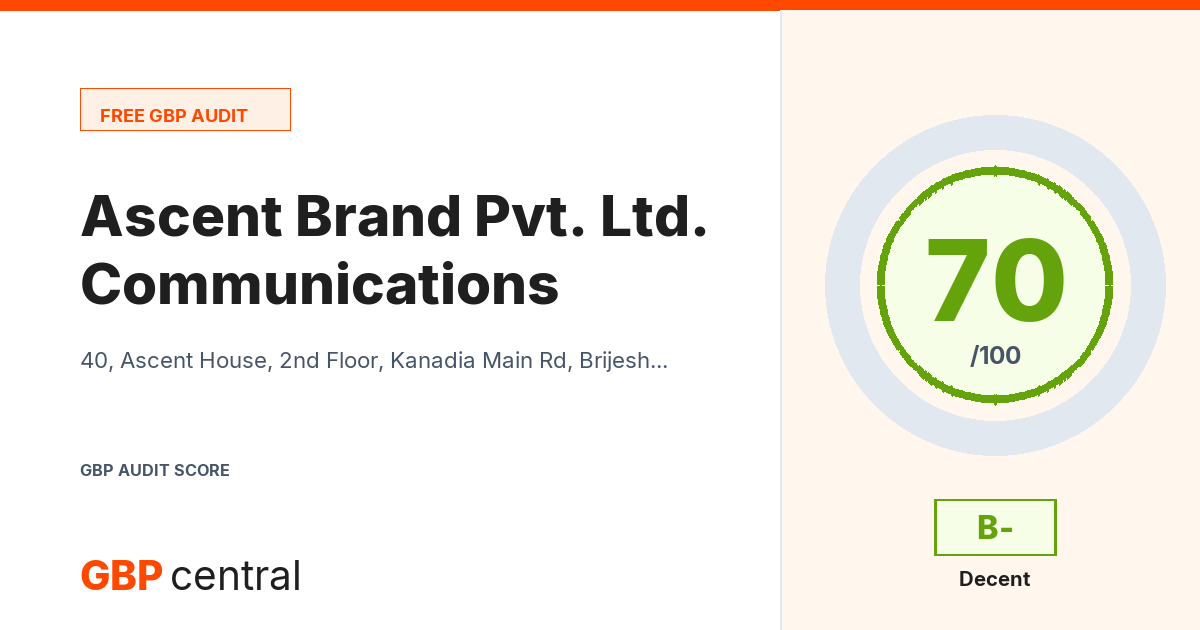
Industry median 79 Top 10% start at 91 9 points below median
How this score is calculatedCreate a free account to save your audits. See what an account adds
What This Means
Ascent Brand Communications Pvt. Ltd. scores 70 of 100, a B- grade, which the scale reads as decent. That is below the current median of 79 across audits run with this tool.
The strongest areas are Photos & Visual Content at 100 of 100 and Profile Completeness at 100 of 100.
The weakest area is Review Sentiment & Quality at 37 of 100, which makes it the natural place to focus first.
Resolving the 3 quick wins below is worth 7 points on this scale, which would move the score to 77 of 100 and a B grade.
Quick Wins (The Fastest Fixes)
The primary category 'Services' is quite generic. Consider a more specific category that better describes the business to rank for more relevant searches.
The listing has 2 additional categories. Consider adding 1 more to appear in more search results.
Use more specific categories instead of generic ones. For example, "Italian Restaurant" ranks better than just "Restaurant".
These fixes lift the score to 77
This is what the fixes above are worth, added up. Each one carries the exact number of points it is currently costing this profile, weighted the same way the audit weights every category.
Aim for 90 or higher to earn the Excellence Award
GBPcentral issues a Gold Excellence Award to businesses scoring 90 or higher on this audit and meeting the full published criteria for their business category. Businesses scoring 95 or higher and meeting the stricter Platinum criteria may earn the Platinum tier. Working through this report's Quick Wins and Critical Issues is the fastest route there.
Critical Issues
Nothing critical. This profile clears the essentials. The category breakdown below shows where the remaining points are.
Google Policy Check
Google's Business Profile guidelines ask for the real-world business name in the name field, with services, locations, and marketing wording kept in the fields built for them. This matters because Google can suspend listings over name issues, and a suspension would take everything this report measures offline with it. This check reads the name as Google currently publishes it and does not affect the score above.
Category Scores
- Business Name
- Present
- Address
- Complete
- Phone Number
- Present
- Website
- Present
- Business Hours
- Set
- Business Status
- Operational
- Editorial Summary
- Not Available
- Primary Category
- Set
- Additional Categories
- Partial
- Category Specificity
- Generic
What to do
- The primary category 'Services' is quite generic. Consider a more specific category that better describes the business to rank for more relevant searches.
- The listing has 2 additional categories. Consider adding 1 more to appear in more search results.
- Use more specific categories instead of generic ones. For example, "Italian Restaurant" ranks better than just "Restaurant".
- Photos Detected
- 10+
- Status
- Excellent
- Industry Benchmark
- 8-15 typical for General Business
- Category Note
- We do not have photo benchmarks for this business type yet, so this compares against general averages.
- Note
- Google reports at most 10 photo references for a listing. A listing showing 10 may hold many more, so this category is scored within that limit and does not distinguish between them.
What to do
- Google's public data reports at most 10 photos, so we cannot see the full library. Listings in General Business typically carry 8 to 15 photos. Keep adding current photos across the exterior, interior, team, and what the business sells.
- Review Count
- 20
- Status
- Average
- Industry Benchmark
- 10-50 average for General Business
- Note
- We don't have category-specific benchmarks for this business type yet, so this compares against general averages.
What to do
- The listing has 20 reviews, which is average for General Business. Aim for 150+ to rank in the top tier.
- Implement a review request strategy. Send follow-up emails or texts after each job or visit with a direct link to the listing's Google review page.
- Average Rating
- 4.0
- Based On
- 20 reviews
- Status
- Good
What to do
- A rating of 4 is solid. Focus on delivering consistently great experiences to push above 4.5.
- Reviews in Google Sample
- 5 of 20 total
- Themes in Sample (Positive)
- best, excellent
- Themes in Sample (Negative)
- worst
Based on the up-to-five reviews Google returns for the listing, sorted by Google's relevance algorithm rather than by date. Themes and sentiment reflect that sample, not the full review history.
What to do
- Reviews in the Google sample highlight "best", "excellent". Emphasize these strengths in the marketing.
- Reviews in the Google sample mention "worst". Address these issues operationally to improve the rating.
- Hours Published
- Yes
- Coverage
- Complete
- Secondary Hours
- Not Set
- Active Management
- Standard
What to do
- Set special hours for upcoming holidays or documented exceptions to the normal schedule. This is a visible signal to Google that the listing is actively managed.
- Website URL
- https://www.ascentgroupindia.com/
- Reachable
- Yes
- SSL (HTTPS)
- Secure
- Server Response Time
- 440 ms
- Note
- Measured as time to first byte. Full page load including images, fonts, and scripts will be slower.
- Mobile Responsive
- Yes
- Name Match (Website/GBP)
- Match
- Address Match (Website/GBP)
- Mismatch
- Phone Match (Website/GBP)
- Match
- Schema.org Markup
- Present
- Schema Matches GBP
- Match
What to do
- Only 2/3 NAP fields match between the website and GBP. Ensure the Name, Address, and Phone are identical everywhere.
- Engaged Attributes
- 1 of 3 relevant
- Active Attributes
- Parking Options
What to do
- This profile engages 1 of 3 attributes relevant to the business type. Setting the remaining 2 attributes gives Google a fuller picture: Accessibility Options, Payment Options.
- Add accessibility information. Specifying wheelchair-accessible entrance, parking, restroom, or seating helps customers and signals to Google that the listing is well-maintained.
Add this badge to the business website
Local Visibility Map
See where this business actually ranks in Google local results at 9 points around its location, using its own category as the search. One click, about half a minute.
This audit was generated on Jul 27, 2026. Google may hold newer data for this business now.
Own or manage this business?
This Profile is Close. Close the Gap.
Review Sentiment & Quality scored 37/100 and is pulling the overall score down. GBPcentral gives you the tools to fix it.
A free account adds:
- Every audit you run saved to your history.
- Score changes for each business, from one audit to the next.
- PDF download without the email step.
- More audits than a visitor can run.
To add this audit to your history, run it again once you are signed in.
7-day free trial on the Starter plan.
Not your business? Run a free audit of your own.
Go Further with GBPcentral
One platform for the work this report measures: posts, reviews, analytics, and profile health.
Review sentiment scored 37/100. Every new review surfaces the moment it lands, so complaints get answered early.
Scheduled posts keep the profile active week after week.
Views, clicks, calls, and direction requests over time.
A live score that flags profile gaps as they appear.
Every location managed from one dashboard.
Talk to a GBP Specialist
Want to go beyond the basics? Our team can review these audit results and identify advanced optimization opportunities specific to this business.
Book a Free ConsultationAbout this report
- Data source
- Provided by Google
- Generated
- Jul 27, 2026 9:31 AM
- Scoring engine
- GBPcentral 4.2 How scores work
Represent this business? You can ask for it to be excluded from search engine promotion and award consideration.
Request exclusionDownload the PDF Report
Enter your email and we'll send you a link to download the professional PDF report.
Check Your Inbox
We've sent a download link to . Click the link in the email to download the PDF report.
The link expires in 48 hours. If you don't see the email in your inbox, please check your junk or spam folder.
Share this report